
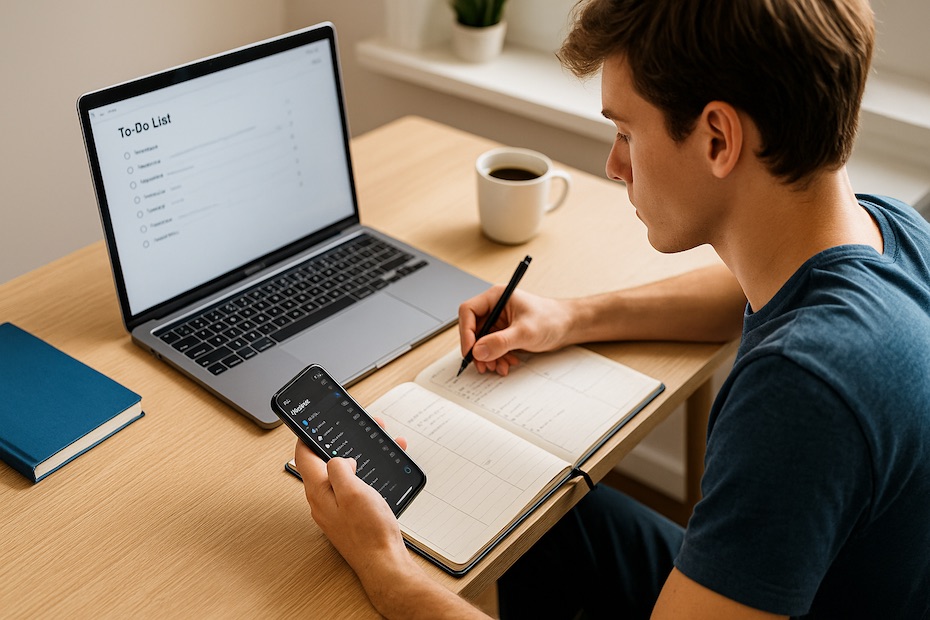
Staying productive as a student isn’t about cramming more into your day—it’s about choosing the right tools and habits to make your hours count. You’re juggling classes, assignments, side gigs, maybe even internships, and it’s easy for your time and energy to get stretched thin. That’s where a smart toolkit comes in. With a solid mix of purpose-driven apps and a few simple strategies, you can take control of your time, reduce stress, and get more done without losing sleep. This guide walks you through the productivity toolkit that actually works in real student life—covering everything from digital task managers to methods that help you stay focused, organized, and on track with your goals.
Prioritize Tasks With Digital To-Do Lists
When you’re balancing school and personal commitments, a clear list is your best friend. You can’t rely on memory when you’re managing multiple deadlines. Use digital planners like Todoist, TickTick, or Microsoft To Do to sort tasks by urgency, add reminders, and categorize by class or project. These tools let you set recurring tasks, break big assignments into steps, and see progress over time.
By checking off small wins throughout the day, you keep yourself motivated and avoid last-minute stress. The visual layout helps your brain understand what’s ahead, so you make better decisions about where your time goes. Plus, syncing across devices ensures you always have your list, whether you’re in the library or on the move.
Manage Time Like a Pro With Time Blockers
You’ve got 24 hours, same as everyone else. The real game changer is how you divide them. Tools like Google Calendar or Sunsama allow you to block time specifically for studying, breaks, and daily routines. This method works because it keeps you from multitasking and drifting into distractions.
Instead of reacting to your schedule, you start shaping it. You’ll know exactly when to write that paper or prep for tomorrow’s quiz. Plus, by leaving space for breaks and buffer zones, you reduce burnout and finish tasks more efficiently. Start by blocking 30–90 minute chunks, then tweak it based on what helps you stay in the zone.
Use Note-Taking Apps That Sync With Your Brain
Keeping all your class notes, reading summaries, and reference materials in one place saves hours later. Apps like Notion, OneNote, and Evernote let you organize notes into subjects, tag ideas, and even embed lecture slides or images. If you’re a visual learner, you’ll appreciate the flexibility of formatting and color-coding.
You can also use these tools to build your own personal knowledge base. Instead of starting from scratch before finals, you already have everything filtered and categorized. The search functions alone are worth the setup time—they’ll help you pull up what you need instantly without flipping through endless folders or notebooks.
Cut Distractions With Focus Tools
Distraction is the silent killer of productivity. Even five-minute scrolls can break your concentration and double your work time. Apps like Forest, Focusmate, and Freedom help you stay on task by blocking social media, tracking screen time, or creating accountability.
When you start pairing these tools with methods like the Pomodoro Technique—25 minutes focused, 5 minutes off—you create natural flow in your day. These focus bursts let you avoid burnout and keep your brain sharp. The key isn’t grinding all day—it’s training your attention so you can get quality work done in shorter, focused sessions.
Automate Repetitive Tasks
You don’t need to do everything manually. Use automation platforms like Zapier or IFTTT to streamline small things—like saving email attachments to Google Drive or syncing your calendar with to-do lists. These automations save you clicks, brainpower, and time that can be better spent studying or recharging.
Even setting email filters or auto-responders for group projects can help you maintain boundaries and reduce inbox clutter. Small automations compound over time, freeing you up to focus on the things that actually need your energy. As a student, you’re learning how to be efficient for life—and this is one habit that’ll serve you well beyond graduation.
Keep Your Mind Clear With Habit Trackers
Productivity isn’t just about tools—it’s also about momentum. Habit trackers like Habitica, Streaks, or Loop Habit Tracker turn goal setting into a daily routine. Whether it’s journaling, exercising, or reading a chapter a day, tracking small habits gives you measurable progress and helps build discipline.
When you’re consistent with tiny actions, they compound into bigger wins. Over time, you train yourself to follow through—not just when motivation is high, but when discipline needs to carry you. Plus, the satisfaction of watching a streak grow gives your brain a dopamine hit that encourages repetition.
Collaborate and Communicate Effectively
Your ability to collaborate is a major productivity factor, especially during group assignments or startup projects. Tools like Slack, Trello, and Google Workspace make it easy to assign tasks, track updates, and communicate in real time without messy email threads. These platforms keep everything transparent and reduce the friction that often comes with teamwork.
Even for solo projects, learning how to organize files, share progress, and document ideas in a clean digital format builds your credibility. Employers notice when you manage digital workflows like a pro. You’re not just being productive for your GPA—you’re building the habits that translate to real-world success.
Best Productivity Tools for Students
- Use Todoist or TickTick for daily task lists
- Try Notion or OneNote for smart note organization
- Block time with Google Calendar or Sunsama
- Cut distractions using Forest or Focusmate
- Build habits with Habitica or Streaks
Stay Organized Across Devices
You’re probably switching between your phone, laptop, and maybe even a tablet. That’s why cloud-syncing is essential. With platforms like Google Drive, Dropbox, and iCloud, your files stay up-to-date and accessible no matter what device you’re using. No more emailing documents to yourself or forgetting which folder something’s in.
File management systems like Obsidian or Notion can also serve as digital brains, helping you connect concepts, manage citations, or store multimedia. Think of it as having a control panel for your academic life—everything at your fingertips and always current.
Gamify Your Productivity
Adding a layer of fun to your routines makes consistency easier. Gamified tools like Habitica turn your daily tasks into quests. You can earn rewards, join guilds, and stay accountable with a bit of humor and competition. For more serious tracking, tools like RescueTime show you where your hours are going and offer insights on how to reclaim them.
When you start seeing productivity as a game, motivation feels more natural. You’re not forcing yourself to be efficient—you’re rewarding yourself for building a system that works. This shift changes your mindset from surviving student life to winning at it.
Wrap-Up: Build a Toolkit That Works for You
No two productivity systems look the same, and that’s the point. Your goal isn’t to copy someone else’s routine—it’s to find tools that fit the way your brain works. Start small, test what clicks, and keep refining as your classes, workload, and responsibilities change. You’ll see that the right mix of apps and strategies doesn’t just help you get more done—it makes your life smoother, your goals clearer, and your days less stressful. Master this now, and you’ll carry that clarity into everything else you pursue.

Michael E Weintraub is an attorney and founder of the Law Office of Michael E. Weintraub, LLC in Neptune, NJ. With over 25 years of experience in trials, estate planning, and estate administration, he is known for delivering client-focused legal solutions with integrity and precision.