
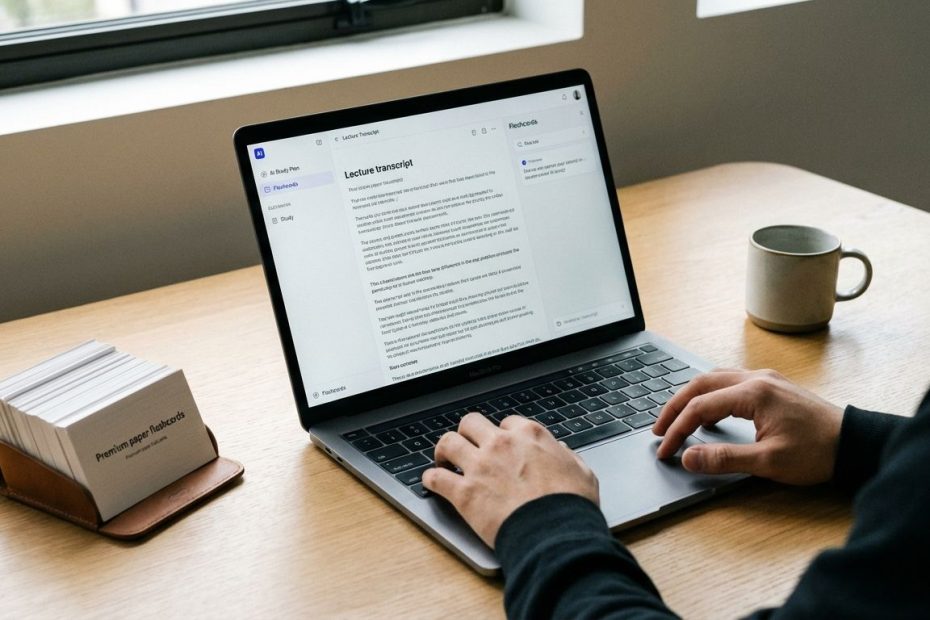
AI lecture summarizers work best when they convert class audio, slides, and your own notes into a searchable transcript plus a structured study guide you can review on a schedule. The right setup lets you capture more during class, review faster after class, and convert “notes you read” into practice you can measure.
This guide helps you pick the right tools for your workflow, then turn summaries into flashcards, quizzes, and a realistic weekly plan that survives real life. You’ll leave with a clean, repeatable process, plus tool-by-tool recommendations that match how students actually study when time is tight.
If the goal is better grades with less rewatching and less cramming, focus on two outputs: accurate summaries and a calendar that forces retrieval practice. AI can produce both, if you feed it the right inputs and keep the workflow disciplined.
How Do You Summarize A Recorded Lecture Automatically (Audio Or Video) Into Clean Notes?
Start by deciding what “clean notes” means for your classes. For most students, clean notes are not a paragraph recap, they are headings, key terms, definitions, worked examples, and a short list of likely exam prompts. That format makes it easy to turn notes into flashcards and practice questions without rewriting everything.
The most reliable pipeline is: record or upload lecture audio/video, generate a transcript, then generate a structured summary from the transcript. Tools built for education workflows generally produce better outputs when you include slide decks or a course outline, since slides anchor the topic order and reduce the chance the summary overweights side discussions.
If you want real-time capture in class, use a tool that records and transcribes live and produces post-class summaries. Otter positions its Education Notetaker around keyword highlighting, concept mapping, and post-class summaries that pull key points, quotes, and takeaways into a structured format. That matters when you want to stay engaged during lecture and rely on the summary afterward instead of typing nonstop.
If you prefer upload-after-class, use a lecture summarizer designed to process recordings or links, then output organized notes you can export. Mindgrasp markets an “AI lecture summarizer” workflow that turns long recordings into structured notes and supports common inputs like Zoom recordings, YouTube videos, and slide decks. The best way to use tools like this is to keep a consistent template for outputs: “Key Concepts,” “Definitions,” “Processes,” “Common Mistakes,” and “Practice Prompts.”
To keep summaries exam-aligned, add one more input: course objectives. Paste the unit objectives or the professor’s learning outcomes, then instruct the tool to tag each bullet with the objective it supports. That single step raises quality fast, since the model stops guessing what matters and starts matching what gets tested.
What Are The Best AI Tools Right Now For Summarizing Lectures (And What’s Best For Students)?
The best tool depends on where your source material lives and how you study. Students who rely on audio need strong transcription, search, and fast exports. Students who already have strong written materials, slides, readings, lab manuals, problem sets get more value from tools that ground outputs in uploaded sources and generate study-guide formats.
A practical setup usually uses two tools: one for capture and one for study production. Capture tools win on speed and searchability. Study tools win on turning content into quizzes, flashcards, and review assets that keep you out of passive rereading.
Here are the tools that consistently map to real student needs, without forcing a complicated workflow:
- Microsoft OneNote + Microsoft 365 Copilot for students already living in OneNote who want page summaries, bullet-point outputs, and task extraction directly inside their notes.
- Otter.ai for real-time lecture capture, searchable transcripts, and structured post-class summaries that reduce rewatching.
- Google NotebookLM for “study guide from your sources,” where uploads drive grounded summaries, FAQs, briefing docs, and Audio Overviews you can listen to during commutes.
- Mindgrasp for upload-and-summarize lecture workflows where speed matters and the primary input is recorded audio/video plus slides.
- Anki + an AI card generator (Ankify) for turning notes, PDFs, or slide exports into spaced-repetition cards fast, then retaining content long-term.
Selection comes down to constraints. If your classes allow recording and you attend in person, prioritize transcription and search. If your courses already have complete materials, prioritize source-grounded study guides and flashcard generation. If exams are heavy on problem-solving, prioritize tools that help you extract worked steps and generate practice prompts, then force repetition in your calendar.
Can AI Turn Your Lecture Summary Into An Effective Study Plan (Daily Schedule Plus Spaced Repetition)?
Yes, and the best results come from giving AI clear constraints and measurable outputs. A plan becomes usable when it includes: exam date, topic list, target grade, weekly available hours, and required practice format. Without those inputs, most plans become generic “study more” calendars that feel tidy and fail in week two.
Build your plan around retrieval, not rereading. Your summary is the raw material, the plan is the execution engine. Convert each lecture summary into a small set of deliverables you can check off: 15 flashcards, 10 practice questions, one-page formula sheet update, and one error log entry after practice.
A spaced repetition schedule can be simple and still work. A common cadence is: review after 1 day, then 3 days, then 7 days, then 14 days. If a class is high volume, compress the cadence early and widen it later. Pair that cadence with a daily rule: no new content until yesterday’s review is done, since backlog kills consistency.
NotebookLM can help generate study guide formats from your uploaded material, which makes it faster to go from “content” to “tasks.” OneNote plus Copilot can summarize and extract to-dos from a page, which is useful when your class notes include assignments, lab steps, and deadlines that need scheduling. Anki then enforces spaced repetition automatically once the cards exist, so the main planning problem becomes: deciding when to create cards and when to do reviews.
To keep your plan realistic, force two tracks: a standard track and a catch-up track. The catch-up track is not optional, it is the plan that runs when you miss a day. It should reduce scope, not extend your hours. A strong catch-up rule is: cut new content intake by half for 48 hours and run only reviews plus practice on the weakest topics.
What’s The Most Accurate Approach: Upload Slides And PDFs, Record Audio, Or Summarize A Transcript?
Accuracy improves when the tool has stable, structured source material. Slides, PDFs, and written course notes reduce transcription noise and keep the summary aligned with the professor’s intended outline. Audio can still matter, since instructors often add testable clarifications verbally, yet audio alone can drift into tangents and side conversations.
A reliable strategy is to anchor the summary to the slides and syllabus, then use audio as supporting detail. This reduces the risk that the summary prioritizes a long class discussion over a two-bullet slide that ends up on the exam. Tools built around “grounding to your sources” are strong here, since they can answer questions and produce study assets based on the materials you provide rather than general memory patterns.
If slides are incomplete or the class is discussion-based, treat the transcript as the primary source and focus on searchability. In that scenario, the winning features are: fast transcript navigation, keyword search, and summary outputs that stay organized by topic and timestamp ranges. That is where lecture capture tools can save hours, since you can jump straight to the segment where a concept was defined.
Transcript-only summaries can work, but quality rises when you add two extra inputs: the unit learning objectives and your last exam or practice problems. Tell the tool to map concepts to objectives and generate practice prompts in the same style as the course assessments. That produces study materials that actually change performance, not just reading comfort.
How Does Microsoft OneNote With Microsoft 365 Copilot Help You Summarize Notes Faster?
If your notes already live in OneNote, Copilot is one of the fastest ways to turn raw pages into structured summaries without exporting content to another app. Microsoft’s support documentation describes using Copilot in OneNote to summarize a page, including prompting it to produce a chronological, bullet-point summary based on your notes and transcription content. That workflow fits lecture notes well, since your page can include typed notes, stylus annotations, and even audio transcription.
Operationally, this is where OneNote shines: you can keep all course assets in one place, then generate a summary that becomes the “top of page” study guide. That reduces the messy pattern of copying transcripts into separate documents, losing versions, and forgetting which summary matches which lecture.
To get consistent outputs, use a repeatable prompt style. Ask for: key concepts, definitions, formulas, and a short list of likely exam questions. Add one more instruction: “use bullet points and keep each bullet to one idea.” Copilot outputs are easiest to study when bullets stay tight and scannable.
OneNote plus Copilot also supports a planning workflow. When your page contains assignments or action items, asking Copilot to identify to-dos creates a quick list you can move into a planner or task system. That matters when your study plan needs to reflect lab reports, quizzes, and problem sets, not just reading.
How Does Otter.ai Improve Real-Time Lecture Notes And Post-Class Summaries?
Otter’s education workflow is built around reducing the cost of “being present” in class. Instead of splitting attention between listening and typing, you capture the lecture, then review an instant summary and searchable transcript. Otter’s Education Notetaker materials emphasize keyword highlighting, concept mapping, automatic action items, and post-class summaries that include key points, quotes, and takeaways.
For study performance, the searchable transcript matters as much as the summary. When you miss one definition or one worked step, you do not need to replay the entire recording. You search the term, jump to the segment, and patch your notes fast. That single capability is one of the biggest time-savers across a semester.
To use Otter effectively for exam prep, build a weekly routine: review each lecture summary within 24 hours, then extract flashcards and practice prompts from the summary. Keep edits light. Your job is not to rewrite the lecture, it is to capture the tested ideas and turn them into retrieval practice.
Budget also matters. Otter’s pricing page states a student and teacher discount using a .edu email, with a 20% discount on Otter Pro monthly and annual plans. If you record multiple long lectures per week, a discount can be the difference between using the tool consistently and abandoning it midterm when limits get tight.
How Does Google NotebookLM Turn Your Sources Into Study Guides, FAQs, And Audio Recaps?
NotebookLM is built for a source-first study workflow. You upload documents and materials, then ask questions and generate outputs grounded in what you provided. That matters for studying because you want answers tied to your actual class content, not generic explanations that sound right and miss your professor’s framing.
Google announced Audio Overviews for NotebookLM as a one-click feature that turns your sources into an audio discussion between AI hosts. It can summarize your material, connect ideas, and create a downloadable recap you can listen to on the go. For many students, listening fills dead time, commuting, walking between classes, cleaning, gym sessions, without turning into passive scrolling.
Use NotebookLM when you need conversions, not just summaries. Strong outputs include study guides, briefing docs, FAQ lists, and targeted Q&A grounded in your uploads. If a course has dense readings, this can compress hours of review into a short set of “what matters, why it matters, where it shows up” notes you can revise quickly.
NotebookLM also supports fast self-testing. After generating a study guide, instruct it to produce mixed-format practice: short answer, multiple choice, and “explain the process” prompts. Then answer in writing without looking at the guide, grade yourself against the guide, and convert misses into flashcards. This creates a loop where errors drive the next study session, not comfort.
How Does Mindgrasp Help You Turn Lecture Recordings Into Crystal-Clear Notes?
Mindgrasp positions its lecture summarizer around turning recordings and live sessions into quick, memorable notes. Its product messaging highlights extracting essentials from recordings, using spoken words and slide text to produce structured notes ready for review. That focus matches what students need when lecture recordings pile up and rewatching becomes a weekly tax.
Mindgrasp fits best when your input is a recording and your output target is an organized summary you can review fast. For classes where lectures are long and dense, the time compression matters. The goal is not a shorter transcript, it is a study artifact that keeps topic order, captures definitions, and pulls out key concepts without you scrubbing a timeline.
To keep outputs consistent across the term, standardize your exports. Save the summary into your main notes system, then add a short “exam filter” layer: tag likely exam topics, mark unresolved questions, and list two practice prompts per concept. This small edit pass keeps your studying anchored to performance tasks rather than rereading.
If you want a clean bridge into a study plan, add a final step after summarization: “Generate 10 flashcard prompts and 10 practice questions based on this lecture, then label each by difficulty.” You can then schedule reviews by difficulty and stop wasting time over-studying what is already easy.
How Do You Convert AI Summaries Into Flashcards That Actually Improve Recall?
Flashcards work when they force recall, not recognition. That means each card should ask for one idea, one definition, one step, one exception, one common mistake. Long cards create rereading behavior, and rereading is the most common reason students feel busy yet stay unsure on exam day.
Use your summary as the card source, then enforce quality rules. Keep prompts specific, avoid multi-part questions, and include “why” only when the course grades reasoning, not just facts. In problem-heavy courses, create cards that store process steps and decision points, not final answers.
AI card generators can speed creation, but the win comes from editing. Ankify markets an Anki AI card generator that converts PDFs into Anki decks, which can save hours when your course uses slide PDFs or reading packets. The best practice is to generate cards, then delete the weak ones and rewrite the ones that feel vague. Card quality determines retention more than card volume.
Once cards exist, the plan becomes simple: daily reviews, plus a weekly creation block. Keep creation blocks short and frequent, since giant weekend card-building sessions tend to get postponed. If you treat card creation as a routine output from every lecture summary, spaced repetition becomes automatic and your study plan stops depending on motivation.
What Are The Biggest Privacy And Permission Risks With AI Lecture Summarizers (And How Do You Avoid Workflow Breaks)?
The most common failure is not technical, it is policy. Some courses allow recording, some restrict it, and some restrict recording other students’ voices. Before building an entire workflow around lecture capture, confirm what your course and institution permit so the workflow does not collapse mid-semester.
Once permission is clear, keep your process clean. Store files in one place, name recordings consistently, and avoid sharing raw audio or transcripts broadly. The moment a transcript circulates, confusion about ownership and redistribution can derail your focus and your class relationships.
Also treat summaries as drafts. AI tools can miss key qualifiers, invert cause and effect, or compress a multi-step process into an oversimplified bullet. A fast verification habit prevents errors from becoming flashcards, and flashcards from becoming “facts” you memorize incorrectly.
Enterprise privacy stories can also influence how schools think about AI features. A Windows Central report discussed an issue involving Microsoft 365 Copilot “Chat” summarizing confidential emails, highlighting why organizations care about licensing, retention, and handling of sensitive data. Students do not control enterprise settings, so the practical move is to align tool choice with what your institution supports and what you can keep organized without risky sharing.
What’s The Best Budget Setup For Students Who Want Summaries, Flashcards, And A Real Study Plan?
A budget setup is strong when it reduces three costs: time, attention, and switching between apps. The leanest stack is one capture tool, one study guide tool, and one spaced repetition tool. You can keep planning inside your existing calendar or task app if the outputs are consistent.
If your school already provides Microsoft 365 and you already use OneNote, start there. Summarize each lecture page with Copilot, then extract a to-do list for assignments and a “review queue” list for study tasks. This reduces tool sprawl and keeps you inside a system you already open daily.
If your main pain is lecture capture, Otter’s free tier may cover light usage, yet heavy class schedules can outgrow free limits fast. Otter’s pricing page states a 20% student and teacher discount with a .edu email on Pro plans, including published discounted prices for monthly and annual subscriptions. If recording is your main input and you record several long lectures weekly, discounts and plan limits matter more than extra features you will not use.
If your main pain is turning readings and slides into study assets, NotebookLM can carry a lot of weight. Upload your materials, generate a study guide and practice prompts, then convert misses into flashcards. When you can listen, Audio Overviews can turn dead time into review time without staring at a screen.
For flashcards, keep it simple: Anki plus an AI card generator can reduce creation time, but keep ownership of final edits. A deck that matches your course language and test style beats a perfect-looking deck that feels generic. Build fewer cards, keep them precise, and review them daily.
Best AI Setup For Lecture Summaries And Study Plans
- Record or upload lecture
- Generate transcript + structured summary
- Create flashcards + practice questions
- Schedule spaced reviews (1, 3, 7, 14 days)
Turn Summaries Into Scores: Your Next 7 Days
Pick one capture path and one study-production path, then run it for a week without changing tools daily. If notes live in OneNote, summarize each lecture page with Copilot and standardize the output into key concepts, definitions, and exam prompts. If audio capture is the bottleneck, record with Otter, review the instant summary within 24 hours, then pull out what becomes flashcards and practice questions. If readings and slides are the bottleneck, load them into NotebookLM, generate a study guide and an Audio Overview, then test yourself in writing and convert misses into Anki cards. Keep the plan calendar-driven: daily reviews, short creation blocks, and a catch-up version that reduces scope when you fall behind. Once that week runs clean, scale it across the semester and measure progress by practice performance, not time spent rereading.
References
- Microsoft Support: Summarize Your OneNote Notes With Microsoft 365 Copilot
- Microsoft Support: Copilot Tutorial (OneNote) Summarize And Identify To-Do Items
- Otter.ai: AI Education Notetaker For Real-Time Lecture Notes
- Otter.ai: Pricing (Includes Student And Teacher Discount Details)
- Google Blog: NotebookLM Audio Overviews
- Mindgrasp: AI Lecture Summarizer
- Ankify: Anki AI Card Generator
- Windows Central: Report On Microsoft 365 Copilot “Chat” Summarizing Confidential Emails

Michael E Weintraub is an attorney and founder of the Law Office of Michael E. Weintraub, LLC in Neptune, NJ. With over 25 years of experience in trials, estate planning, and estate administration, he is known for delivering client-focused legal solutions with integrity and precision.