
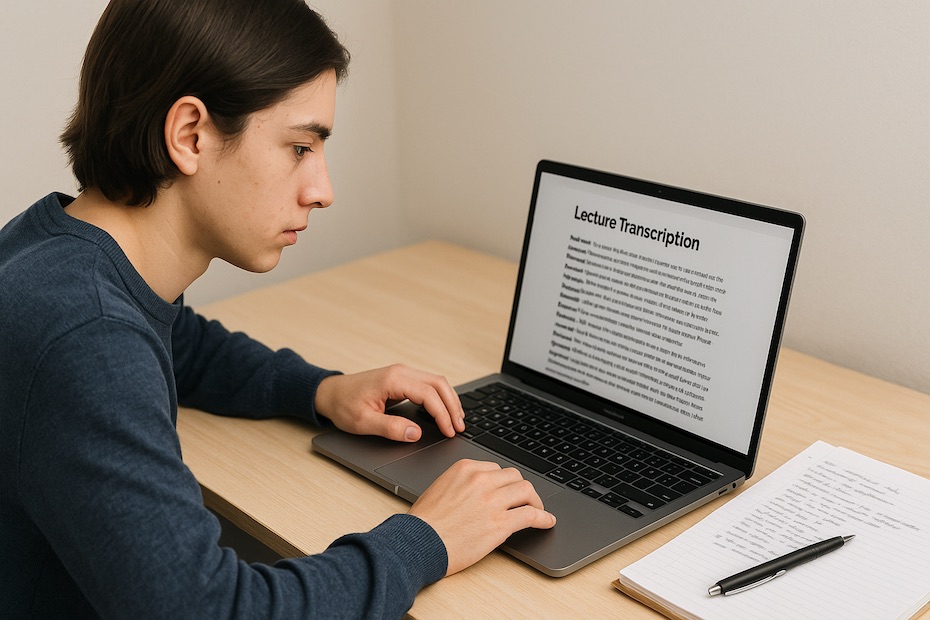
Whisper transcription technology helps you turn lecture audio into accurate, searchable text—making comprehension, retention, and revision far easier. By automating note-taking and enabling real-time access to spoken material, it eliminates the struggle of keeping up with lectures while improving how you process and recall information.
In this article, you’ll learn how Whisper and similar AI transcription tools are reshaping the academic experience. You’ll see how they improve note accuracy, support accessibility, speed up revision, and empower students and educators to engage more deeply with lecture material.
What Is Whisper Transcription Technology and How Does It Work?
Whisper is an AI-powered speech-to-text model developed by OpenAI that converts spoken language into written transcripts with exceptional accuracy. Unlike basic transcription tools, it’s trained on hundreds of thousands of hours of multilingual data, allowing it to handle diverse accents, noisy audio, and domain-specific terminology.
The process is simple—you record your lecture or upload an existing audio file, and Whisper generates a timestamped, editable transcript. It can also translate audio into multiple languages, which is particularly valuable in multilingual classrooms. The software’s open-source architecture allows integration into classroom management systems, note-taking apps, and video platforms, ensuring flexibility and scalability for education.
In 2025, universities and e-learning platforms are increasingly embedding Whisper-based transcription into their course portals. For example, the University of Toronto’s accessibility office recently began using Whisper-powered tools to support students with auditory processing challenges, allowing instant conversion of classroom speech into readable, shareable documents.
Why Is Whisper Technology Important for Students?
You know how difficult it can be to keep pace with professors during dense or fast-moving lectures. Whisper transcription bridges that gap by capturing everything that’s said—word-for-word—so you can focus on understanding, not frantically typing notes.
The value goes beyond convenience. Many students process spoken information better when they can revisit it later in written form. Having searchable transcripts allows you to highlight, annotate, and summarize at your own speed. For non-native English speakers, this tool makes comprehension easier by removing the pressure of real-time translation or missed context.
Moreover, Whisper enables equity in education. Students with hearing impairments, ADHD, or language learning difficulties benefit from accurate captions and text references. Instead of being dependent on traditional note-taking assistance, they gain autonomy and confidence in managing their learning resources independently.
How Does Whisper Improve Learning Efficiency?
One of Whisper’s biggest advantages is the way it transforms passive listening into active learning. Instead of simply replaying lectures, you can interact with transcripts—search for key terms, create summaries, or feed the text into AI-based flashcard or summarization tools.
A study published in EdTech Magazine (2025) found that students who used AI transcription during lectures spent 32% less time on manual note revision and demonstrated a 15% increase in content retention compared to those relying on handwritten notes. The time saved can be redirected toward analysis, exam preparation, or collaborative study sessions.
When you review lectures through transcriptions, you eliminate redundancy. You no longer need to re-watch long videos; you can jump straight to the section where a professor explains a formula or concept. Over time, this workflow builds a more structured, searchable academic archive—your personal knowledge library.
Can Whisper Support Group Learning and Collaboration?
Yes—and this is where Whisper stands apart from many legacy transcription tools. Group study sessions often involve varied speech patterns, interruptions, and discussions. Whisper’s model handles multi-speaker environments, differentiating between voices through automatic speaker diarization.
Students can upload shared recordings from group discussions or online breakout sessions and receive organized, speaker-labeled transcripts. That means everyone in the group can review who said what and consolidate key points more effectively.
Educators have also started integrating Whisper transcripts into collaborative whiteboard platforms like Miro or Notion, allowing real-time annotation. When paired with summarization features from GPT-4 or Claude 3, you can extract action points or summaries from hours of conversation in minutes—ideal for capstone projects, research collaborations, or case-based discussions.
This type of cooperative transcription creates a bridge between spoken collaboration and structured knowledge capture, ensuring that no valuable input is lost during brainstorming sessions.
How Accessible Is Whisper for Diverse Learning Needs?
Accessibility in education is about equal opportunity, and Whisper supports that goal by breaking down auditory and linguistic barriers. Students who are deaf, hard of hearing, or have auditory processing disorders can benefit from real-time captions and transcriptions.
Moreover, Whisper’s multilingual capability enables content translation, helping international students or bilingual learners engage with complex academic language. Universities with high international enrollment—like NYU and UC Berkeley—have piloted Whisper integrations into digital lecture platforms to improve inclusion in mixed-language environments.
The system also assists neurodivergent learners by reducing note-taking anxiety and providing text-based structures that align with their cognitive processing style. The flexibility to adjust font size, pacing, and reading mode empowers students to consume information at their optimal rhythm.
How Can Educators Implement Whisper Transcription in Classrooms?
Adopting Whisper technology is straightforward but requires thoughtful integration. Start by selecting your preferred workflow—either live transcription during class or post-lecture transcription from recorded audio.
For live sessions, use microphones connected to your learning management system (LMS) and sync Whisper’s output to your classroom display or captioning interface. Students can read the transcript in real-time, improving engagement and comprehension.
For recorded content, uploading audio to a platform like WhisperNotes, Otter.ai, or Notta (which use Whisper engines) automatically generates a transcript, which can then be shared as a downloadable text or PDF file.
Here’s an effective implementation process:
- Capture clear, high-quality audio using directional microphones.
- Use Whisper or a Whisper-based app to transcribe automatically.
- Edit for formatting, speaker labels, and readability.
- Integrate transcripts into your LMS or course repository.
- Encourage students to annotate and summarize their copies.
This process takes minutes, not hours—and once you establish it, your classroom becomes more transparent, inclusive, and efficient.
What Are the Limitations and Best Practices of Whisper in Education?
No technology is perfect, and Whisper has its constraints. Its accuracy depends on audio quality, so background noise or distant microphones can impact results. Specialized or domain-specific terms (like medical or engineering jargon) sometimes require manual editing.
To get optimal results:
- Record in quiet, echo-free rooms.
- Use external microphones instead of built-in laptop mics.
- Review transcripts before distribution to ensure quality.
- Avoid over-reliance—use transcription as a supplement, not a substitute, for comprehension.
Another consideration is data privacy. If your institution uses Whisper for classroom recordings, ensure compliance with student data policies. Use on-device processing or encrypted cloud services to protect sensitive lecture material.
When applied correctly, Whisper can be transformative—but like any tool, it performs best under structured, intentional use.
How Does Whisper Compare to Other Transcription Tools?
You’ll find numerous transcription tools in education, but Whisper stands out for its accuracy, speed, and open-source adaptability. Competing solutions like Otter.ai, Sonix, and Rev AI also perform well, but they often charge per minute or limit language options.
Whisper, on the other hand, operates freely within open frameworks. Many universities have integrated Whisper into proprietary learning tools, avoiding subscription models altogether. For multilingual classrooms or research-heavy disciplines, Whisper’s broad speech recognition dataset provides superior handling of academic vocabulary compared to most commercial alternatives.
Otter.ai excels at note-sharing and live collaboration, while Whisper excels at data ownership and customization. The combination of both, depending on your learning environment, creates a powerful educational toolkit.
How does Whisper help students process lecture content?
- Converts lecture speech into searchable text
- Reduces note-taking stress and cognitive load
- Enhances comprehension and accessibility
- Supports multilingual and collaborative learning
Empower Your Learning With Whisper Transcription
Whisper transcription isn’t just a convenience—it’s a study accelerator. By integrating AI-driven transcription into your academic routine, you make learning more efficient, equitable, and personalized. It allows you to focus on understanding rather than capturing every word, freeing your attention for critical thinking and connection-making.
Start experimenting with Whisper today, whether for lectures, study sessions, or research interviews. You’ll quickly see how structured transcripts transform the way you absorb and retain complex material.

Michael E Weintraub is an attorney and founder of the Law Office of Michael E. Weintraub, LLC in Neptune, NJ. With over 25 years of experience in trials, estate planning, and estate administration, he is known for delivering client-focused legal solutions with integrity and precision.